Markup Calculator

Set prices with confidence. Enter your cost and markup percentage to get the selling price, profit per unit and resulting profit margin – or work out the markup from a cost and price.

Free · No sign-up Business & Finance

Results

Selling price
–
Profit per unit–
Markup–
Profit margin–

How to use the Markup Calculator

  1. Choose whether to calculate price from markup, or markup from price.
  2. Enter your unit cost and markup (or selling price).
  3. See the selling price, profit and margin.

Examples

Cost £40 with a 50% markup gives a selling price of £60, a profit of £20 and a profit margin of 33.33%.

How it works

  • Selling price = Cost × (1 + Markup ÷ 100)
  • Markup = (Price − Cost) ÷ Cost × 100
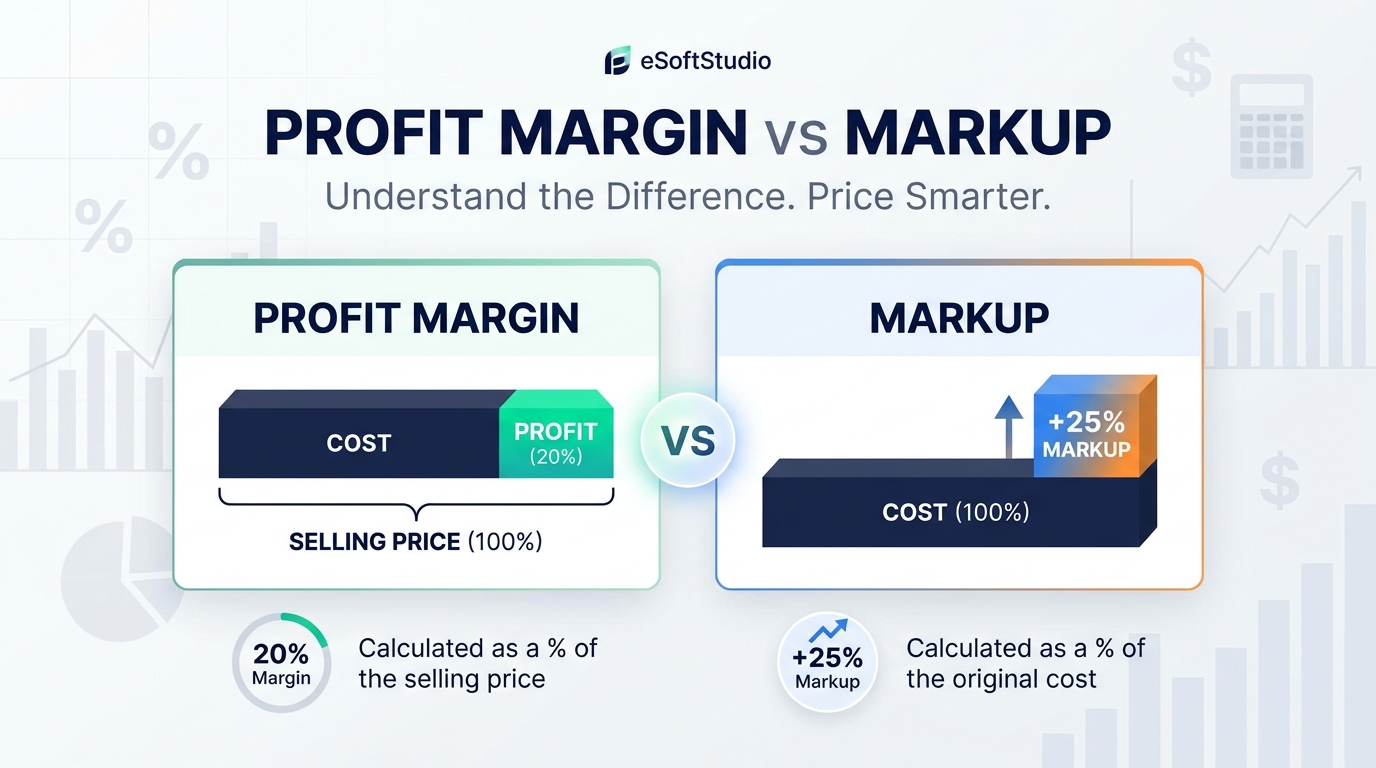
  • Margin = Markup ÷ (100 + Markup) × 100

“Keystone” pricing in retail refers to a 100% markup, which equals a 50% margin.

Frequently asked questions

How do I convert markup to margin?
Margin = Markup ÷ (1 + Markup). A 25% markup equals a 20% margin; a 100% markup equals a 50% margin.
Should I price using markup or margin?
Either works if used consistently. Many businesses set prices with markup but report performance as margin, so knowing both avoids underpricing.

Related guides